 Betterleaf
A better controller for Nanoleaf lights.
The official app is slow and unreliable at the one thing it has to do: find the lights and change them. Betterleaf treats that as the whole job. It finds your panels in seconds, keeps them found when their address changes, answers a slider drag without choking the controller, and tells you the truth about whether a light is connected.
What you get
Finds your lights, and keeps them found
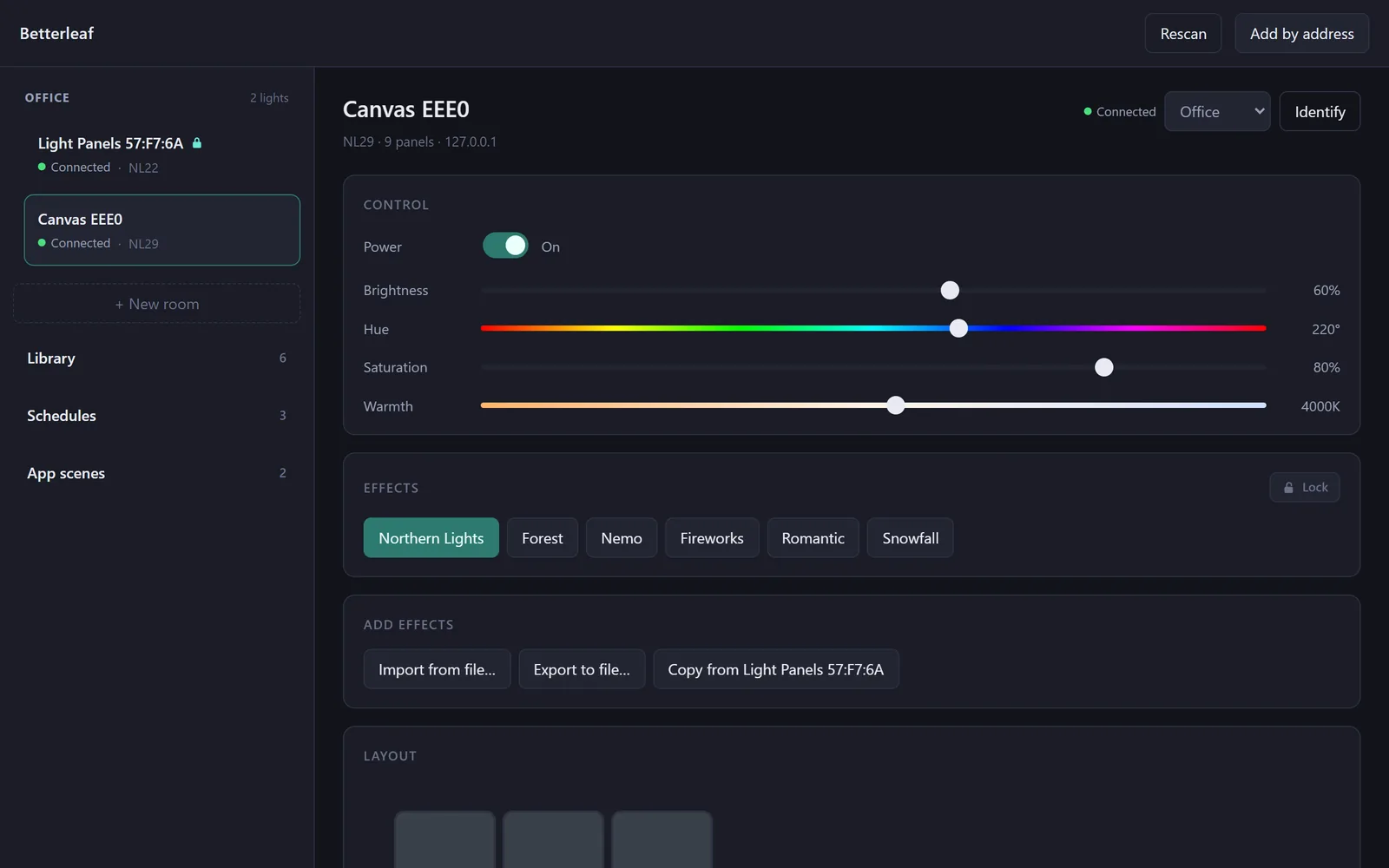
Discovery runs every way at once: the address a light had last time, mDNS, SSDP and finally a sweep of the subnet, and a light appears the moment any of them answers. Lights are known by serial number, so a new address from your router is followed, never mistaken for a new device. One event stream per light carries its state, and the status chip says Connected only while that stream is alive.
- Pairing keeps trying for the whole thirty-second window, so you can press the button after you start
- Slider drags are coalesced into one request in flight per light
- Connected, Reconnecting, Unreachable or Needs pairing: never a spinner that means nothing
Rooms
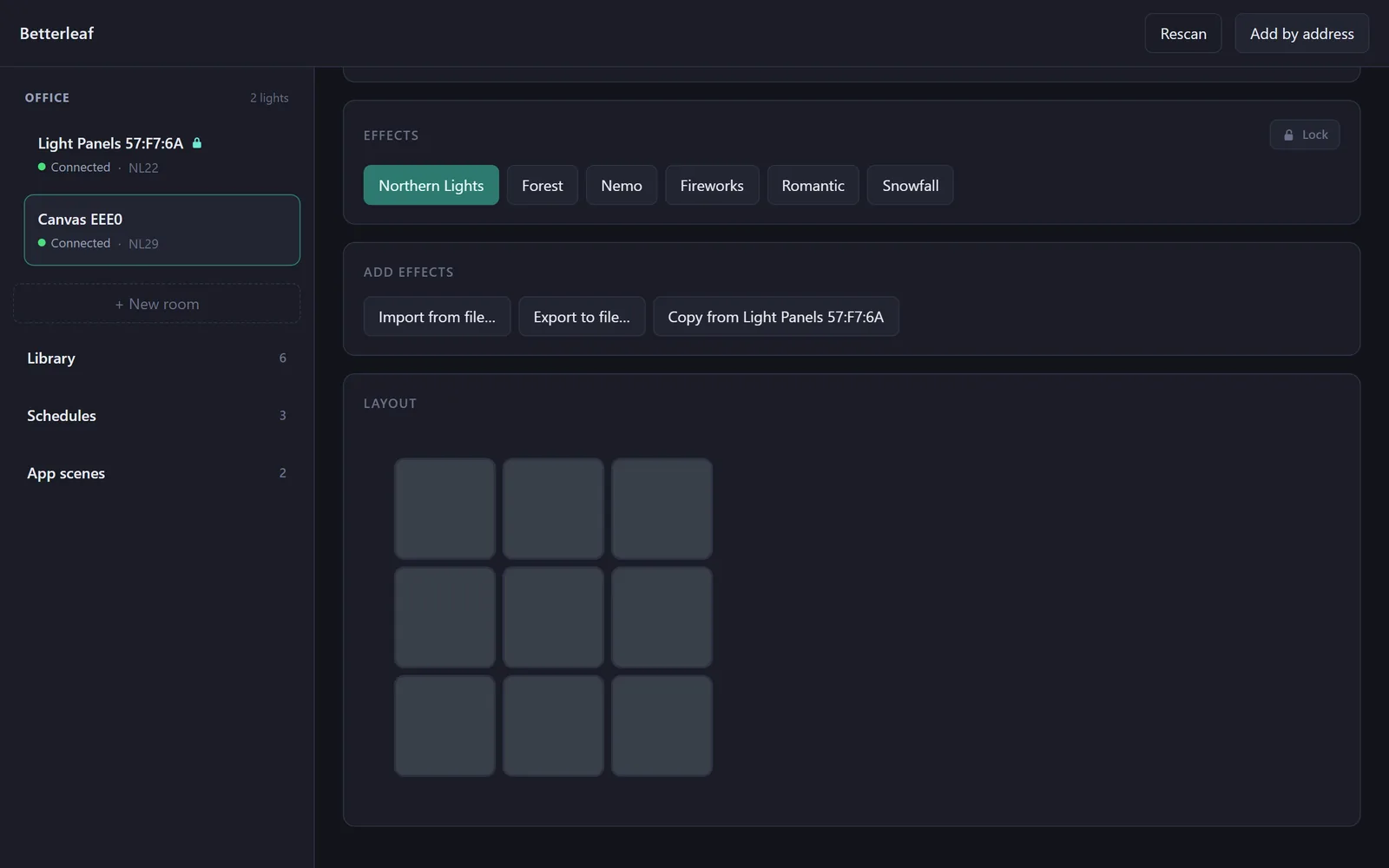
Put lights into rooms and drive the room: power, brightness and the scenes every member has, in one place. A light belongs to at most one room, and rooms exist only in Betterleaf, so nothing is written to the lights and nothing changes in the Nanoleaf app.
Every scene you ever downloaded, archived
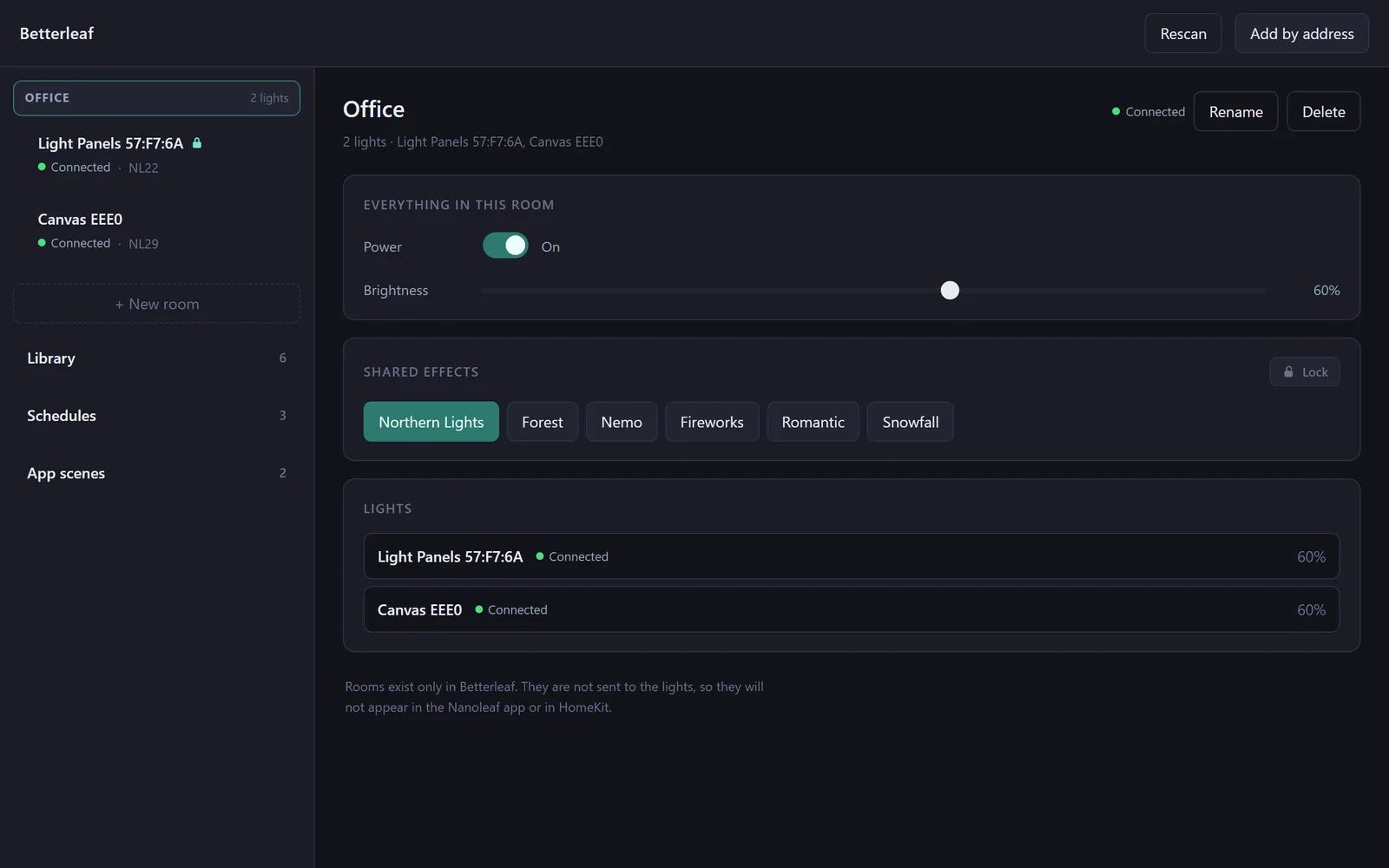
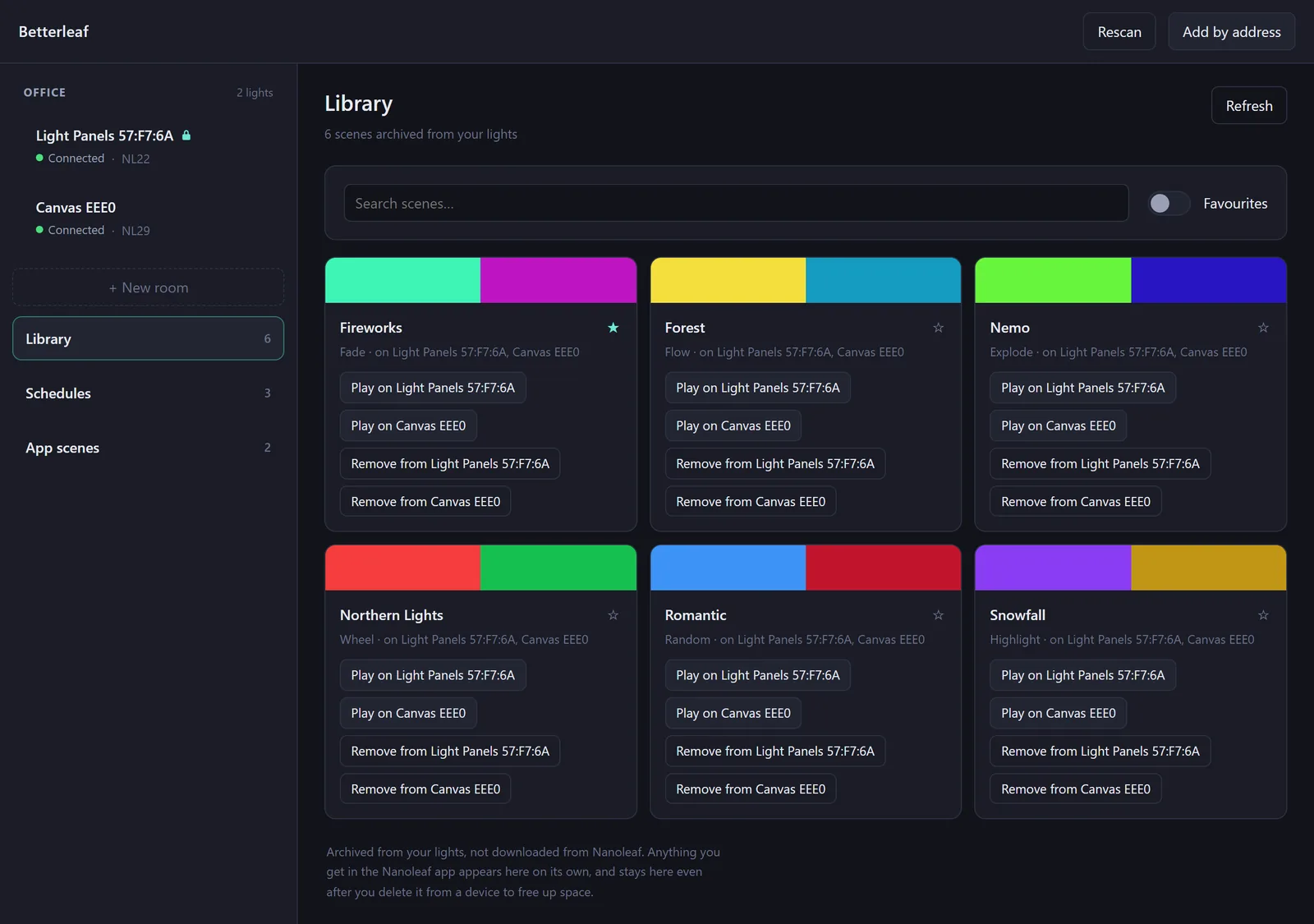
Nanoleaf's Discover marketplace delivers scenes to the lights themselves, so the lights already hold everything you have downloaded. Betterleaf reads them off and keeps a copy in a local library that outlives the controller's limited storage: clear a scene off a light to make room, and put it back later with one click. No cloud API, no account, nothing that can break.
- Search, favourites, and each scene's colours at a glance
- Play a scene on any light, add it to another, or copy every scene from one light to another
- Import and export scenes as JSON files
Schedules that run on your PC
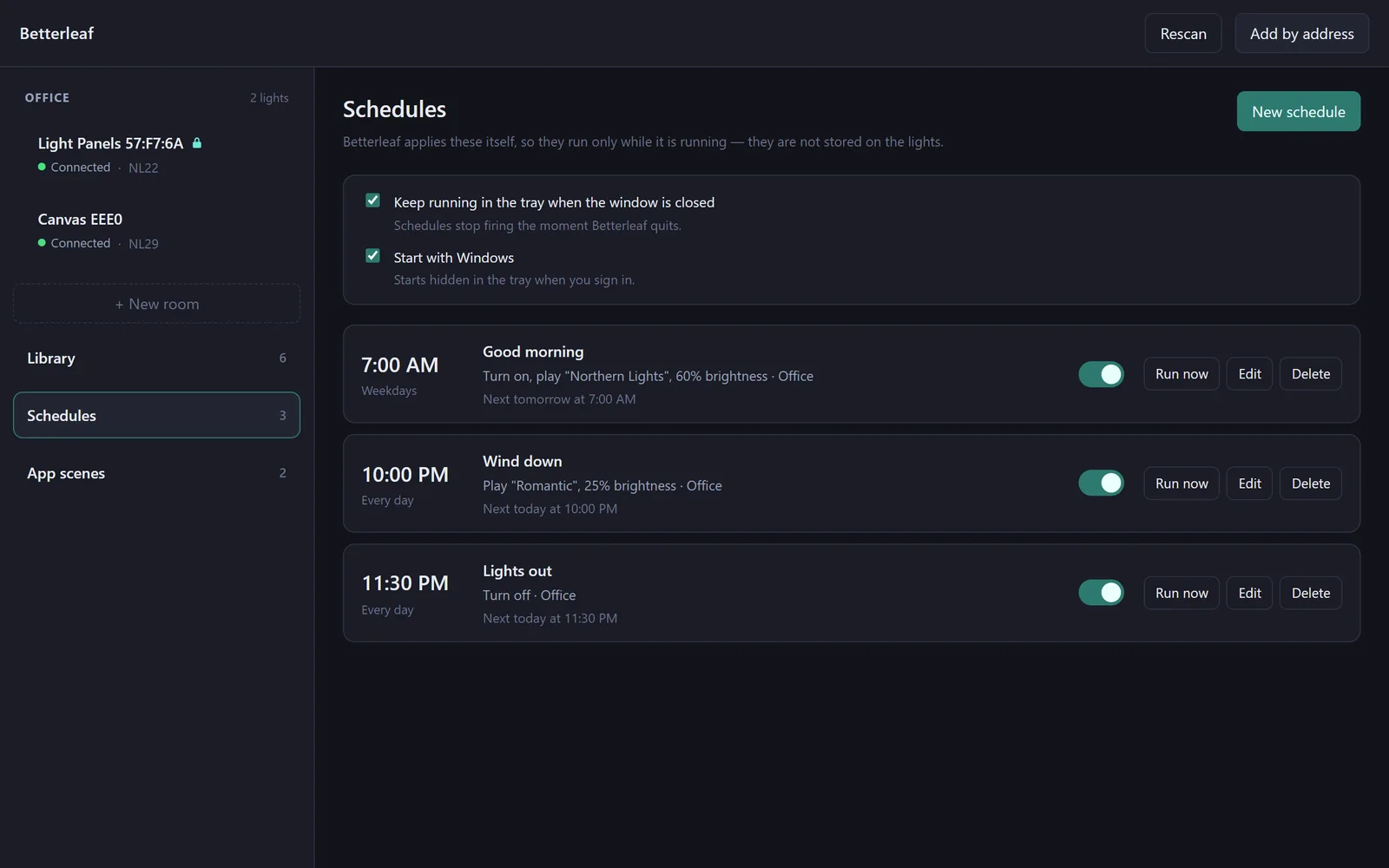
Turn a room on at seven with a scene and a brightness, dim it at ten, switch it off at half past eleven, on the days you choose. Newer Nanoleaf firmware dropped device-side schedules, so Betterleaf runs them itself: it keeps going in the tray when you close the window, and it never fires a schedule late because the PC was asleep. Lock a light and schedules leave it alone until you say otherwise.
A scene while a game is running
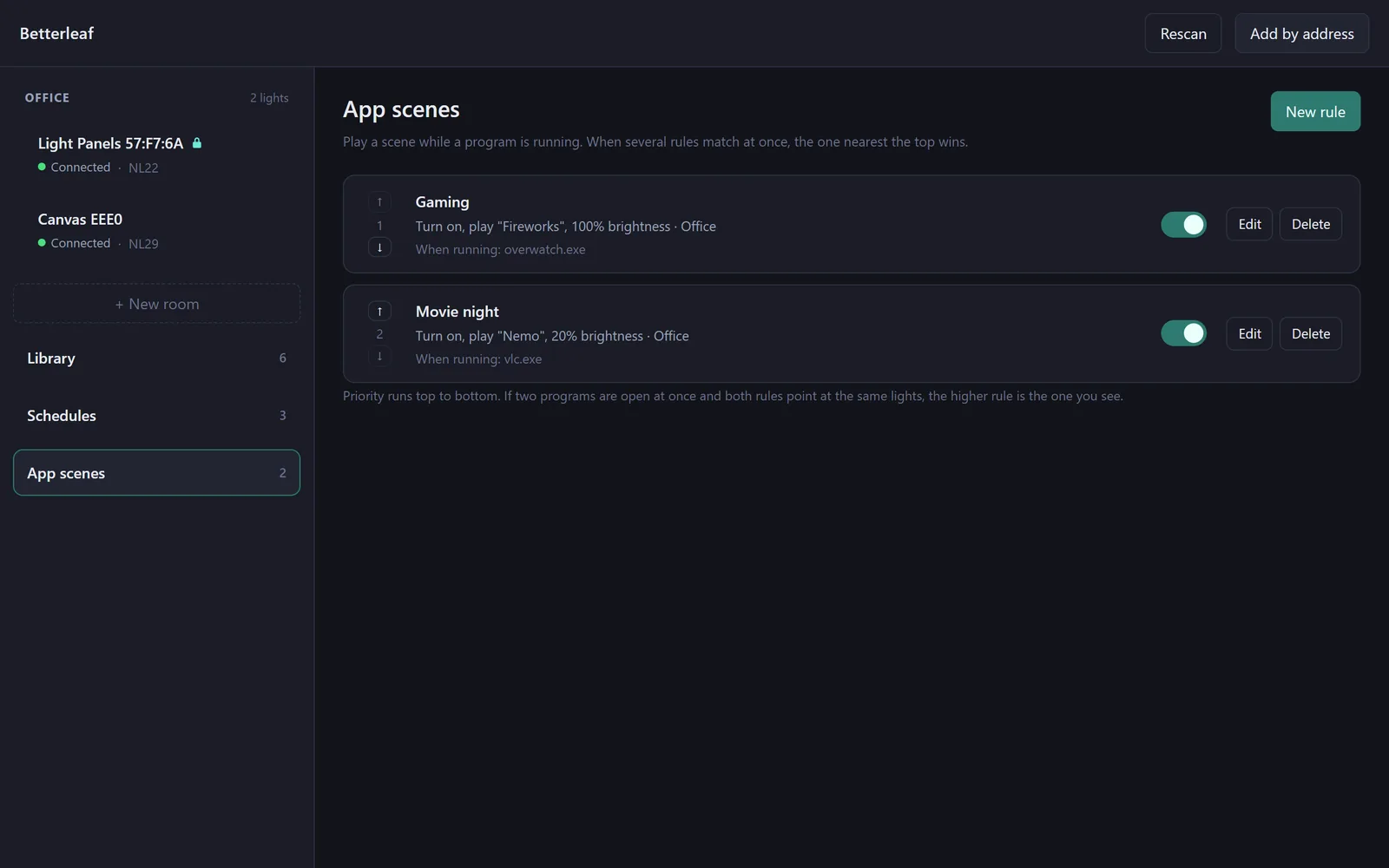
An app scene watches for a program, a game, a player, an editor, and puts a room or a light into a scene for as long as it is open. When the program closes, the lights go back to what they were showing, unless you changed them yourself in the meantime. Rules have an order, so Gaming can outrank Movie night without either knowing about the other.
How it works
Install
Run the installer. Betterleaf starts looking for lights on your network straight away; anything it finds is offered for pairing in the sidebar.
Pair
Pick a light, then hold the controller's power button for five to seven seconds until its light flashes. Betterleaf keeps asking for the whole pairing window, so the order does not matter.
Group and schedule
Make a room, drop your lights in, and set up the schedules and app scenes you want. Close the window and Betterleaf keeps them running from the tray.
Every view, button and setting is described in the guide, with screenshots.
Local only
No cloud, no account
Betterleaf talks to the lights over your own network with Nanoleaf's local API. The only traffic it makes is between your PC and the panels; it has no server, no sign-in, no telemetry and no update check.
Your tokens stay yours
Pairing tokens are kept under your Windows profile, encrypted with the account's own data protection. Rooms, schedules, rules and the scene library are plain JSON files beside them, yours to read or back up.
Open source
MIT licensed, on GitHub. The device layer is its own package with a command-line tool and a simulator of both panel types, so the whole thing is tested without hardware.